Appearance
Import challenges
The import endpoint accepts CSV and Excel workbooks. For a few challenges the admin form is faster. For a whole category, the import is much faster.
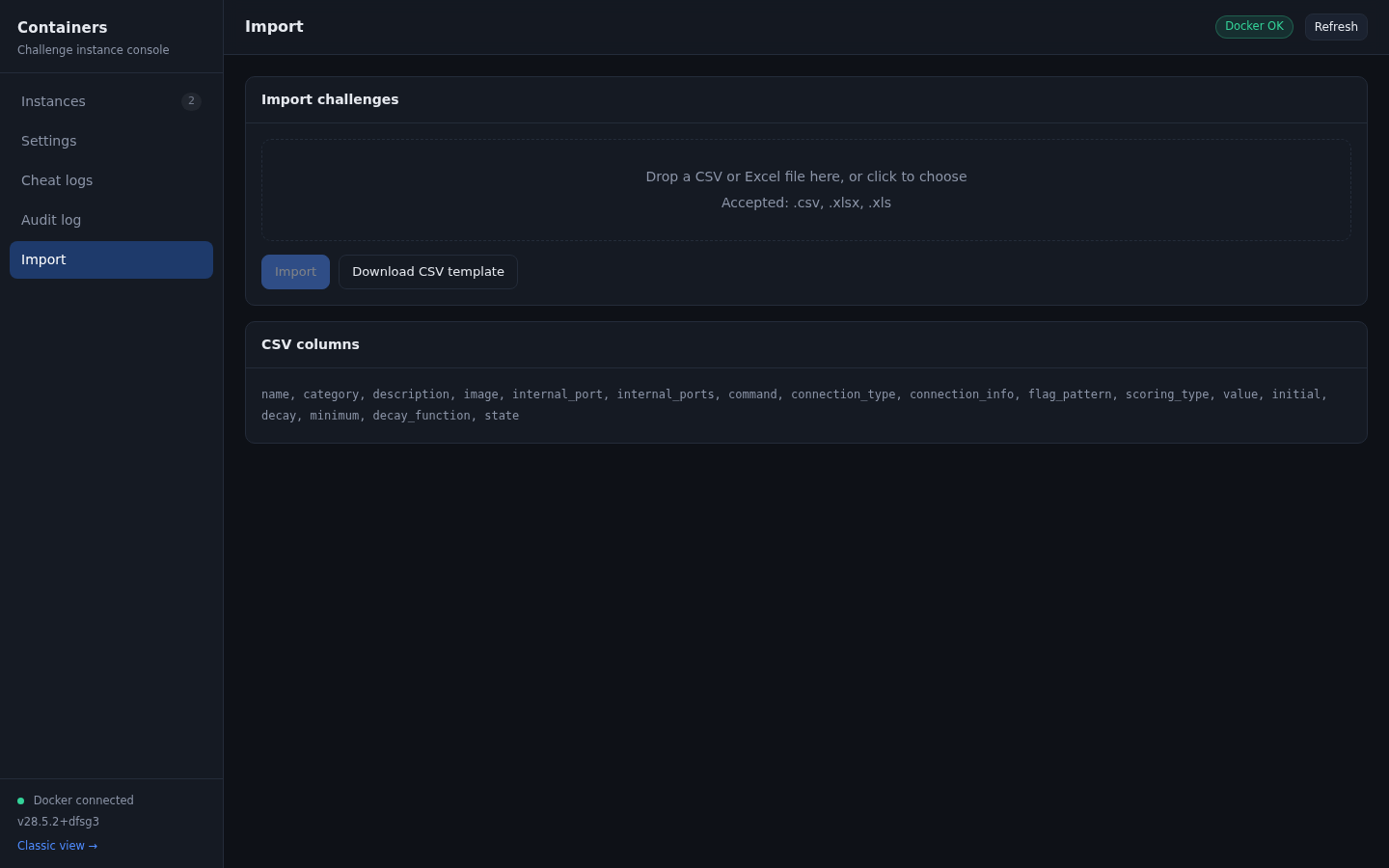
Getting the template
Click Download CSV template on the Import tab. The file contains the header row and two example rows, one standard scoring and one dynamic.
name,category,description,image,internal_port,internal_ports,command,connection_type,connection_info,flag_pattern,scoring_type,value,initial,decay,minimum,decay_function,state
Web Challenge Example,Web,Find the flag,nginx:latest,80,80,,http,Access via browser,CTF{static_flag},standard,100,,,,,visible
SSH Challenge Example,Pwn,SSH and find the flag,ubuntu:20.04,22,22,/usr/sbin/sshd -D,tcp,user:ctf pass:ctf,CTF{<ran_16>},dynamic,,500,20,100,logarithmic,visible
Columns
| Column | Required | Notes |
|---|---|---|
name | yes | Challenge name |
category | yes | Category name, created if missing |
image | yes | A docker image reference. Include a tag. |
description | no | Plain text or HTML |
internal_port | no | Single port. Used when internal_ports is absent. |
internal_ports | no | Comma separated list, for example 80,22. Wins over internal_port. |
command | no | Docker command. {FLAG} is replaced with the flag. |
connection_type | no | http, tcp, nc, ssh, or anything else. Defaults to http. |
connection_info | no | Extra text shown under the connection details |
flag_pattern | no | Defaults to CTF{flag}. See challenges.md. |
scoring_type | no | standard or dynamic. Defaults to standard. |
value | for standard | Points |
initial | for dynamic | Starting points, defaults to 500 |
decay | for dynamic | Decay value, defaults to 20 |
minimum | for dynamic | Floor, defaults to 100 |
decay_function | no | linear or logarithmic. Defaults to logarithmic. |
state | no | visible or hidden. Defaults to visible. |
Unknown columns are ignored. Column order does not matter, and header names are case insensitive.
Excel notes
A worksheet named Challenges is used when it exists, otherwise the first sheet. The first row is the header. openpyxl reads values only, so formulas are not evaluated.
What the import reports
After the upload the page shows the number of challenges created and a list of per-row problems:
{"created": 2, "errors": ["Row 3: image 'nginx' has no tag (e.g. nginx:latest)"],
 "success": true}
Rows are validated one at a time. A row that fails is skipped and the rest are still imported, so a single typo does not lose the whole file.
Validation rules
name,category, andimagemust be present and non empty.- Ports must be integers between 1 and 65535. Duplicates in one row are removed.
- Dynamic scoring needs
initial,decay, andminimumto parse as numbers. - A missing image tag is reported as a warning, not a failure, because a locally built image can legitimately have no tag. The row is still imported.
- An unknown
decay_functionvalue falls back tologarithmic.
Verifying an import
The console Instances tab does not list challenges. To check the import:
- Go to Admin, Challenges and confirm the new challenges are listed.
- Open one and confirm the container fields match the CSV.
- Click Fetch Instance on the player side to confirm the image starts.
If a challenge imports with the wrong image, correct it in the admin panel or delete it and fix the CSV. Re-importing the same file creates duplicates, because there is no de-duplication by name.